Flipivo didn't start as a product idea either. It started with a Slack message popping up in the corner of my screen — in the middle of a demo, in front of a customer. Nothing secret, thankfully. But it happened again the next week, and I realised the problem wasn't Slack. It was me, doing the same chores by hand every time I shared my screen.
The same checklist, before every call
A normal "can you share your screen?" looked like this:
- Hide Slack and Messages, so nothing pops up while people watch.
- Turn the volume down and switch to the headset microphone.
- Swap my wallpaper for something plain — nobody needs my holiday photos.
- Make sure the Mac won't sleep halfway through the presentation.
- Open the call, the notes and the calendar.
And when the call ended, the same list again, backwards: show Slack, turn the volume back up, put my wallpaper back. Each step takes seconds. But I did it four or five times a day, and I always forgot one.
What happened when I forgot
- A DM on screen — "are you free for lunch?" in front of twelve people.
- The display went to sleep while I was answering a question.
- Slack stayed hidden all afternoon after the call, and I missed the messages that mattered.
- The volume stayed at 10%, so I missed the next meeting's reminder too.
None of this is dramatic. It's the kind of friction you stop noticing — until you add it up. Getting ready for a call takes a minute. Getting your Mac back afterwards takes as long as it takes you to remember.
The setup was never the hard part. Undoing it was.
Two ideas: Modes and Restore
I wanted my Mac to switch tasks the way I do — all at once. That turned into two ideas, and Flipivo is built around them.
Modes. A mode is a short list of what changes when you start something: which apps open, which ones hide, the speaker, microphone and volume, the wallpaper, whether the Mac stays awake. Meeting, Present, Focus, Pomodoro, Away — or your own. One click in the menu bar runs the whole list.
Restore. Before Flipivo changes anything, it writes the change down. Click the mode again and it walks that list backwards: the apps it hid come back as you left them, the volume returns to where it was, your wallpaper is back. It only undoes its own changes — the app you opened yourself during the call stays open.
Three moments I switch every day
Each one used to be a checklist. Now it's one click — or none. Click the dots to go step by step.
1. Sharing my screen
A design review starts in two minutes. Slack, Messages and my own wallpaper are all on screen.
 Meeting🔈 70%30%Tue 9:58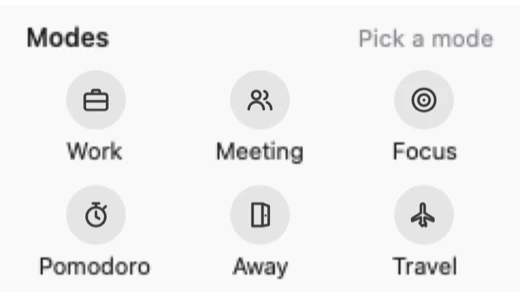






2. A call that starts by itself
Most of my calls start the same way: I open Zoom a minute early. So that became the trigger.
MeetingTue 9:59Meeting is onStarted because Zoom opened · Slack and Messages hidden · Mac stays awakeMeeting endedZoom quit · Slack and Messages are back, volume 70%▶3. Getting my Mac back
The part I used to forget. Restore puts back what the mode changed — and only that.
Meeting🔈 30%70%Tue 10:31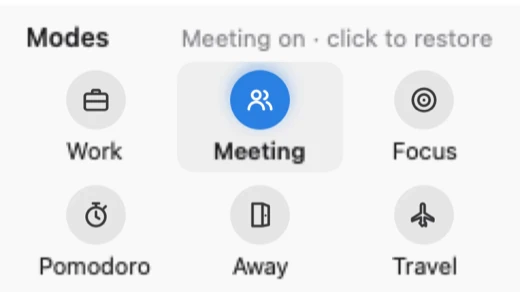
One note on Slack itself: Flipivo hides apps, it doesn't change their notification settings. If you also want notifications silenced, pair a mode with a macOS Focus — Flipivo can start a mode when a Focus turns on, so one switch covers both.
And it had to be quiet about my data. Flipivo asks for no permissions — no Accessibility, no Screen Recording, no Full Disk Access — and has no network access of its own. Hidden apps are never quit, so nothing unsaved is lost. Your modes and the Restore journal stay on your Mac.
Pay once, keep getting updates
I switch modes every day, so I keep improving Flipivo. It's a free 14-day trial, then a one-time purchase on the Mac App Store — no subscription, no account. If there's a moment in your day that should be one click, email me at [email protected].
If it saves you one awkward DM on a shared screen — and one afternoon of wondering why Slack is so quiet — it has done its job.