Makivo started with a browser window I was a little embarrassed by. Twelve pinned tabs, each one a tiny icon, each one a single-purpose website: a JWT decoder, a JSON formatter, a regex tester, a diff checker, a Base64 tool, a UUID generator, a cron explainer, a hash calculator… I had been collecting them for years.
The tabs I couldn't close
If you write software, you probably know the set. Mine looked like this:
- jwt.io to see why a token was rejected.
- A JSON formatter for every minified API response.
- regex101 to check a pattern before it went into a form.
- Diffchecker to compare two configs that "should be the same".
- …and a Base64 decoder, a UUID generator, a hash tool, a cron explainer, a URL decoder, a curl converter, a .env checker, a timestamp converter.
Each one is fine on its own. Together they're a small, scattered toolbox: different layouts, different shortcuts, cookie banners and ads, and a tab bar so full I clicked the wrong icon half the time. Some of them were quietly redesigned, some disappeared, one started asking me to sign in.
What I was really pasting
The bigger problem took me longer to notice. These sites are where I pasted the most sensitive things I touch all day:
- Production JWTs and API tokens — often still valid for hours.
- Config files with database URLs, passwords and internal hostnames, pasted into a diff tool.
- .env files with every secret a service needs.
- API responses with customer names, emails and order data, pasted into a formatter.
Many of these tools are honest and run only in your browser. But from the outside you can't tell. You don't see whether the page sends your input to a server, what it keeps, which analytics and ad scripts load next to your token, whether a "share" link stores it, or who will own the domain next year. On a deadline, nobody opens DevTools to check.
A production token doesn't become safe because you only pasted it "to read it".
So I built one window instead
Makivo is the toolbox I wanted: a native Mac app with 19 tools in one window — JSON, JWT, cURL, OpenAPI, regex, diff, hashing, .env, cron, URL, generators and more. Press ⌘ V on Home and it detects what you pasted and opens the right tool. ⌘ K searches them all, ⌃ ⌥ 1…9 jumps straight to one, and each tool keeps its draft while you switch.
Three tabs I closed first
Each one used to be a website. Now it's a paste. Click the dots to go step by step.
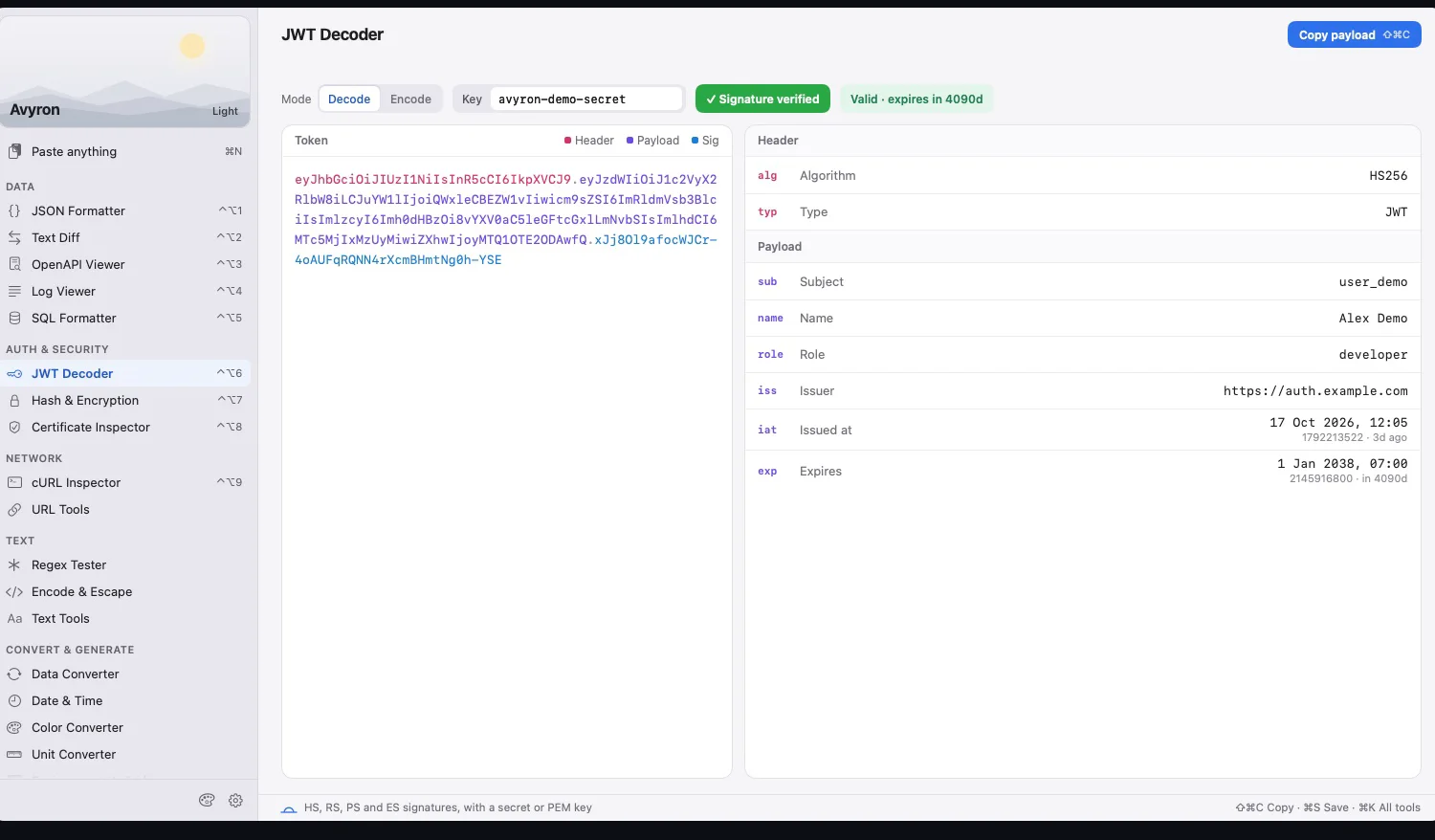
1. The JWT decoder
A login fails in staging and the token is the first suspect. I need the claims — and whether the signature is even valid.





2. The diff checker
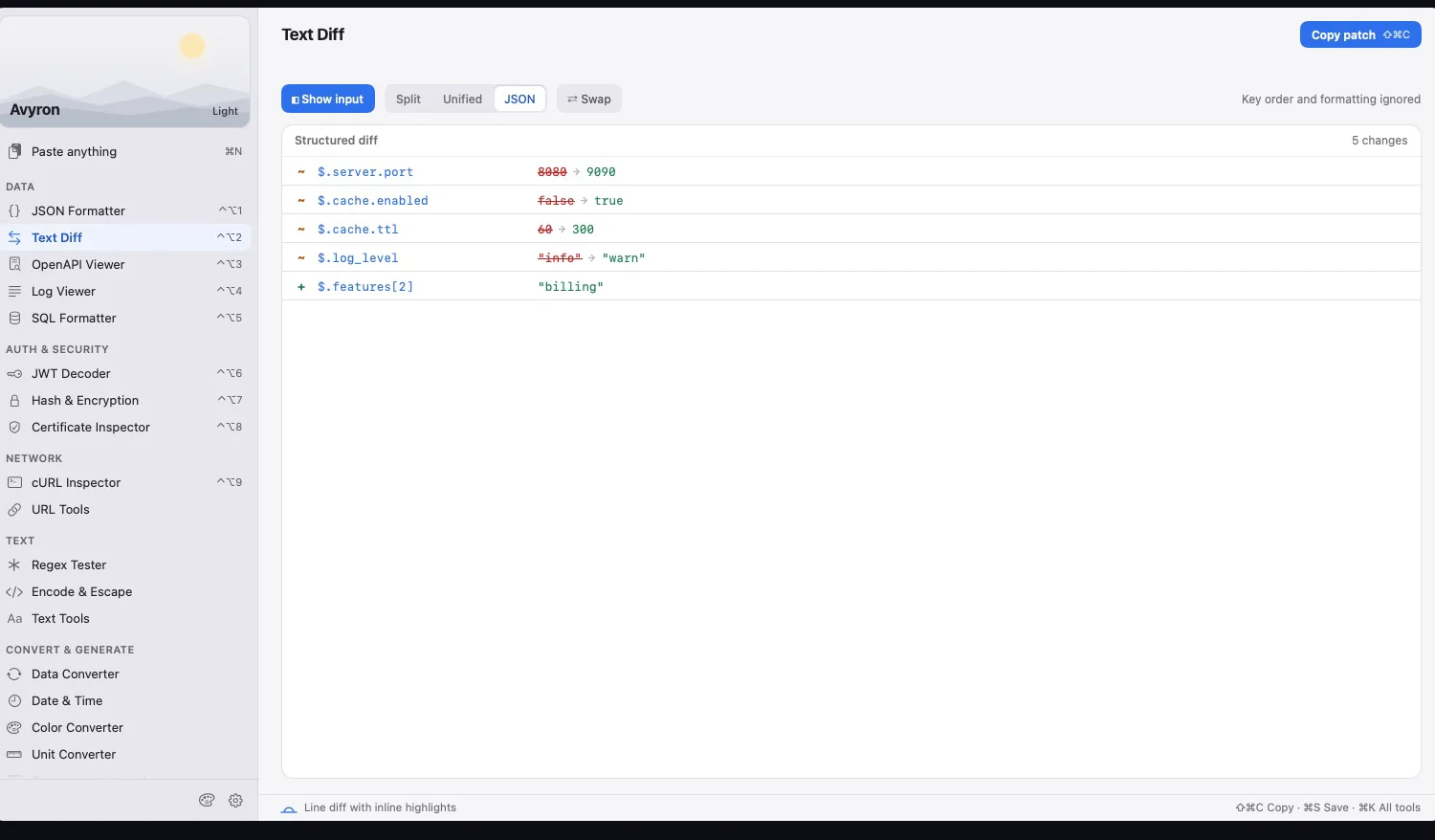
Staging works, production doesn't. The two configs are hundreds of lines, with the keys in a different order — and full of secrets.
3. The regex tester
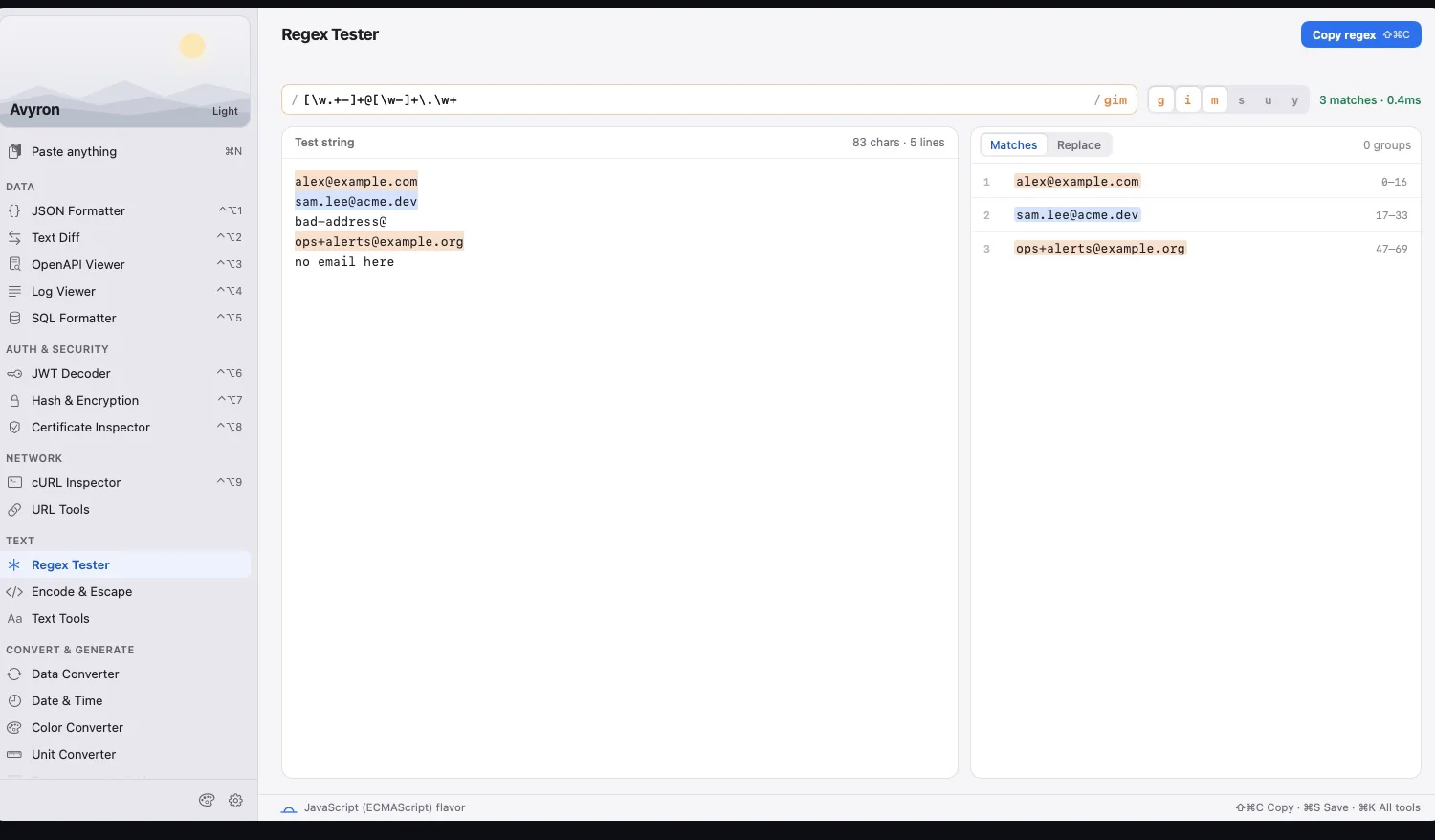
The sign-up form needs an email pattern, and I want to see what it catches — with real addresses from a support ticket.
The other nine tabs went the same way: Base64, URL decoding, hashes and checksums, UUIDs and passwords, cron, timestamps, cURL to code, OpenAPI, and .env files — with secrets masked by default, so they don't show up on a screen share.
And it had to be private by design. Makivo runs entirely on your Mac and works fully offline. There's no account and no analytics, and nothing you paste is uploaded. Your tokens and configs stay on your machine — which is the whole point.
Pay once, keep getting updates
I use Makivo every day, so I keep adding to it. It's a free 14-day trial, then a one-time purchase on the Mac App Store — no subscription. If there's a tab you still keep pinned, email me at [email protected] and tell me which one.
If it lets you unpin a few tabs — and keeps one production token out of a stranger's text box — it has done its job.