Pekivo didn't start as a product idea. It started as a habit I didn't like: dozens of times a day I copied something, opened a browser tab, searched for a tool, pasted, read, and closed the tab. A few minutes later, I did it again.
The same five steps, all day
A normal debugging afternoon looked like this:
- Copy a JWT from a request header.
- Open a new tab and search "jwt decode".
- Pick a result, close the cookie banner, paste the token.
- Read the one thing I needed — the expiry date.
- Close the tab, then repeat for a minified JSON response, a cURL command, a timestamp, a Base64 string, a cron expression, a log dump from Slack…
Each step takes seconds, but each one breaks your focus. Every format has its own site, and I kept bookmarks just to remember which formatter I trusted. The work wasn't hard — it was repetitive, and repetitive work is exactly what your computer should do for you.
What I was really pasting
The bigger problem took me longer to see. Look at what goes into those text boxes:
- Access tokens and JWTs — often still valid, from staging or production.
- Logs with customer emails, IP addresses and internal hostnames.
- cURL commands copied from DevTools, cookies and
Authorizationheaders included. - .env files and config with API keys and database passwords.
When you paste these into a web tool, you can't see whether the page sends them to a server, what it logs, which analytics and ad scripts run next to your token, or who will own that site next year. Many tools are honest and work only in the browser — but from the outside they look the same, and on a deadline nobody checks.
The easiest way to leak a secret is to paste it somewhere "just to read it".
So I built the tool I wanted
One shortcut that works over any app: copy something, press ⌥ Space, and see what's inside. No searching for the right site, no picking a tool — Pekivo detects the format itself, whether it's JSON, a JWT, a cURL command, logs, CSV or even a screenshot of a table.
Three things I paste every day
Each one is the same three steps: copy, press ⌥ Space, read. Click the dots to go step by step.
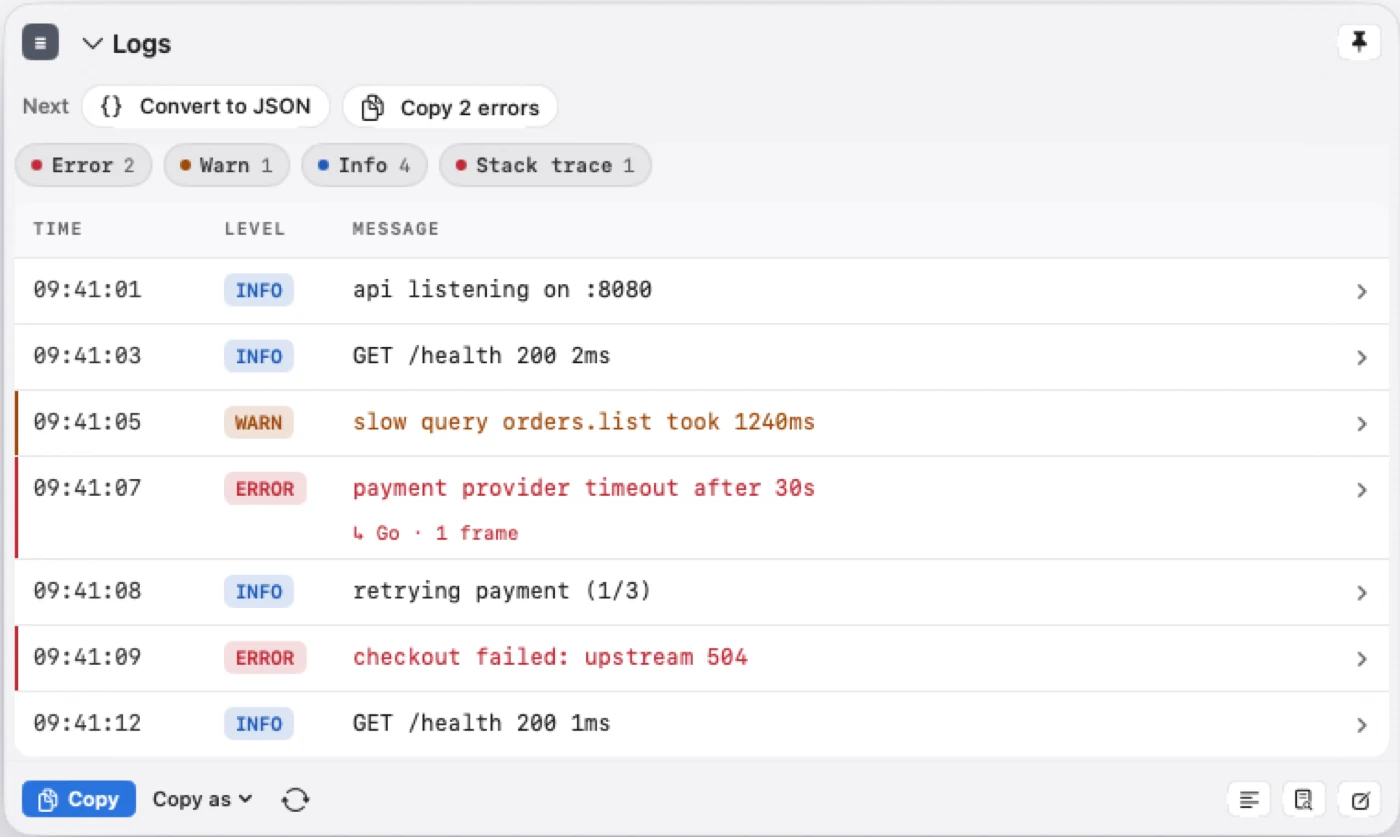
1. Logs from a Slack thread
An incident starts and someone pastes a block of logs into the channel. I need the errors, not the health checks.
 Tue 10:12





2. A cURL command from DevTools
“Copy as cURL” is the quickest way to share a failing request — and the hardest to read. It also carries the token.
Tue 10:12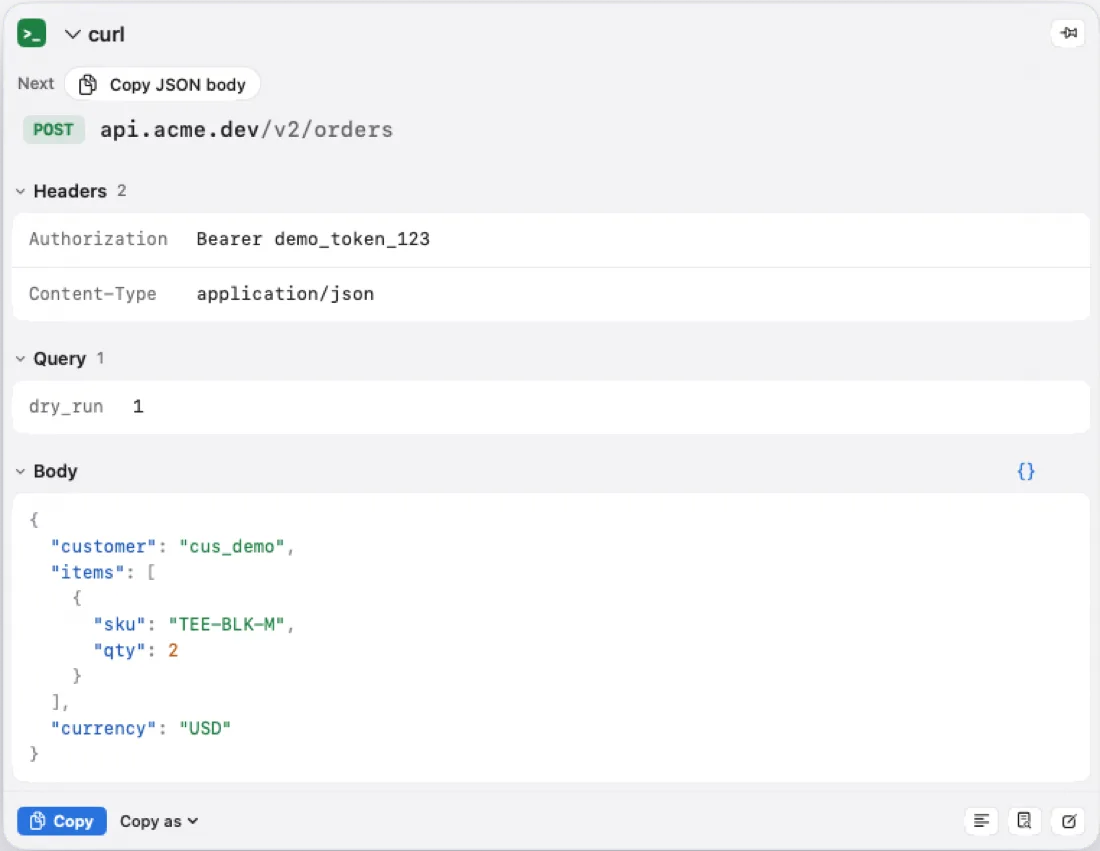
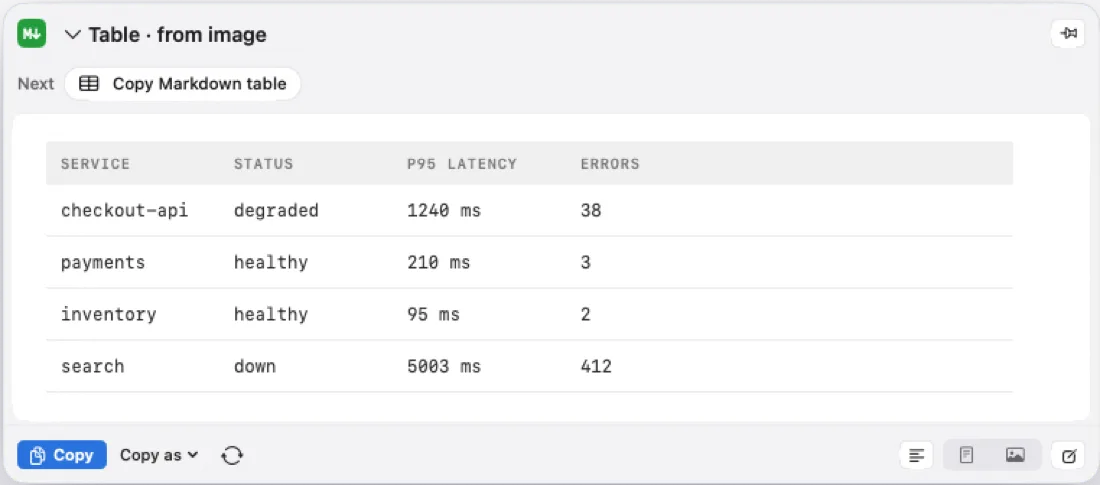
3. A table in a screenshot (OCR)
Dashboards and chat screenshots are full of tables nobody can copy — before, that meant retyping or an online OCR site.
Tue 10:12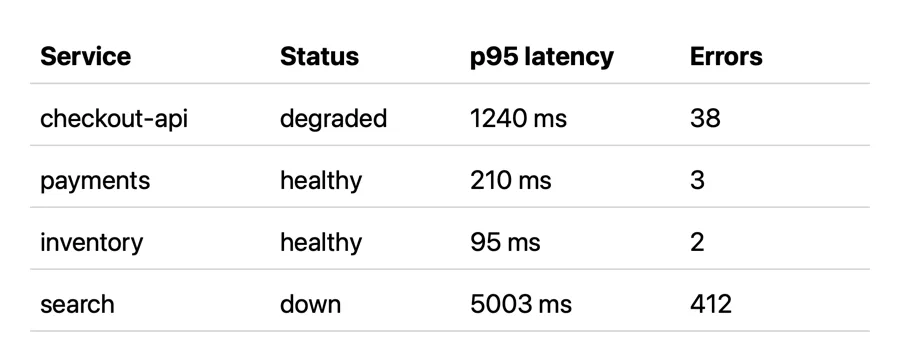
And it had to be private by design: everything runs on your Mac, it works offline, and there's no account, no analytics and no clipboard history. Your tokens and logs never leave your machine.
Everything you copy and inspect is processed locally. Pekivo only uses the network to activate and check your license and to look for app updates — never to send what you inspect.
Pay once, keep getting updates
I use Pekivo every day, so I keep improving it. Every license is a one-time purchase with lifetime updates and support — no subscription. If a format you paste all the time isn't covered yet, email me at [email protected].
If it saves you a few tab switches a day — and one token you didn't paste into a stranger's website — it has done its job.